Control panel for streamers

Your whole stream in one panel

Alerts, overlays, a chat bot, viewer points and tips. Instead of several services that don't talk to each other.

Dashboard

What it looks like

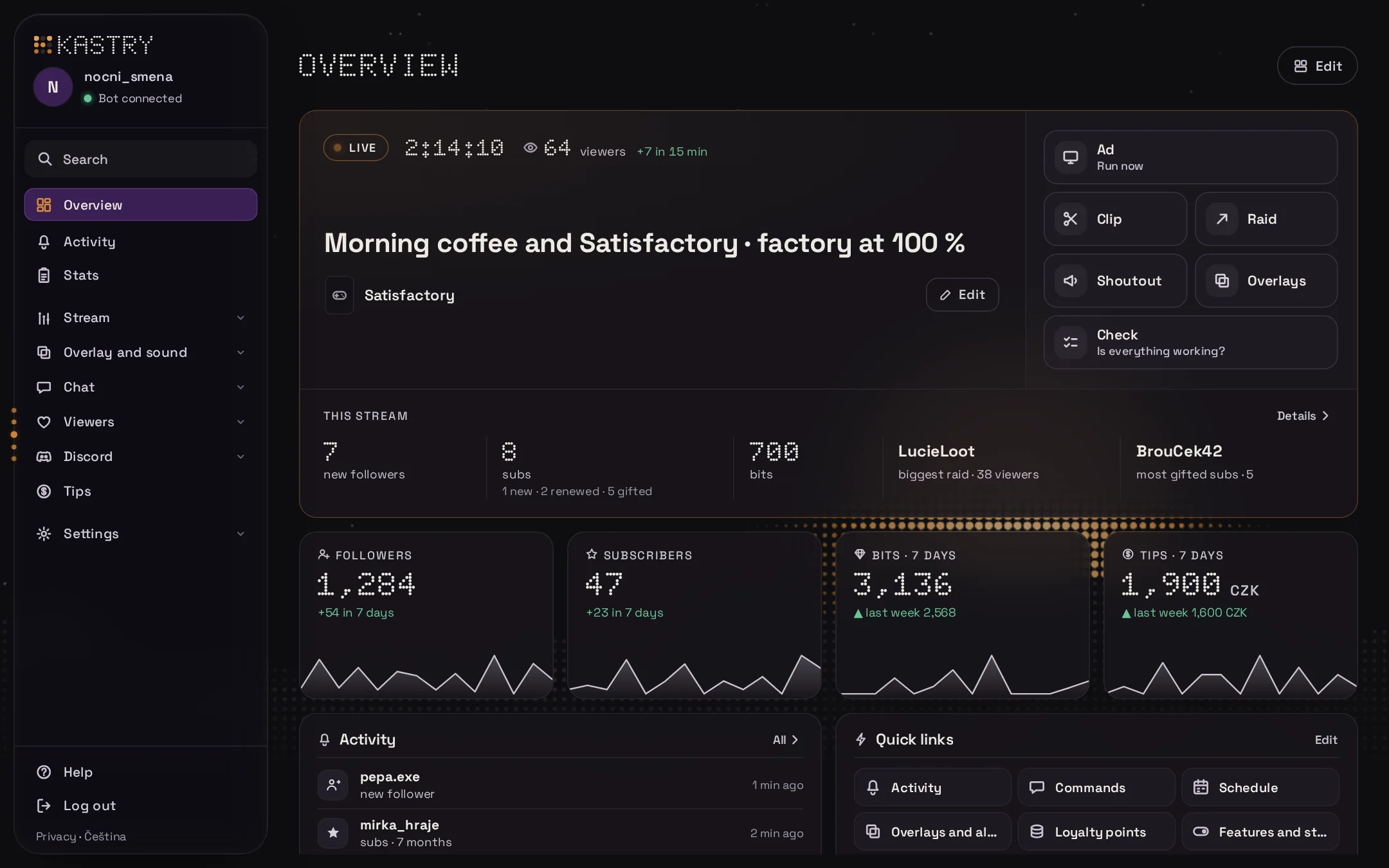
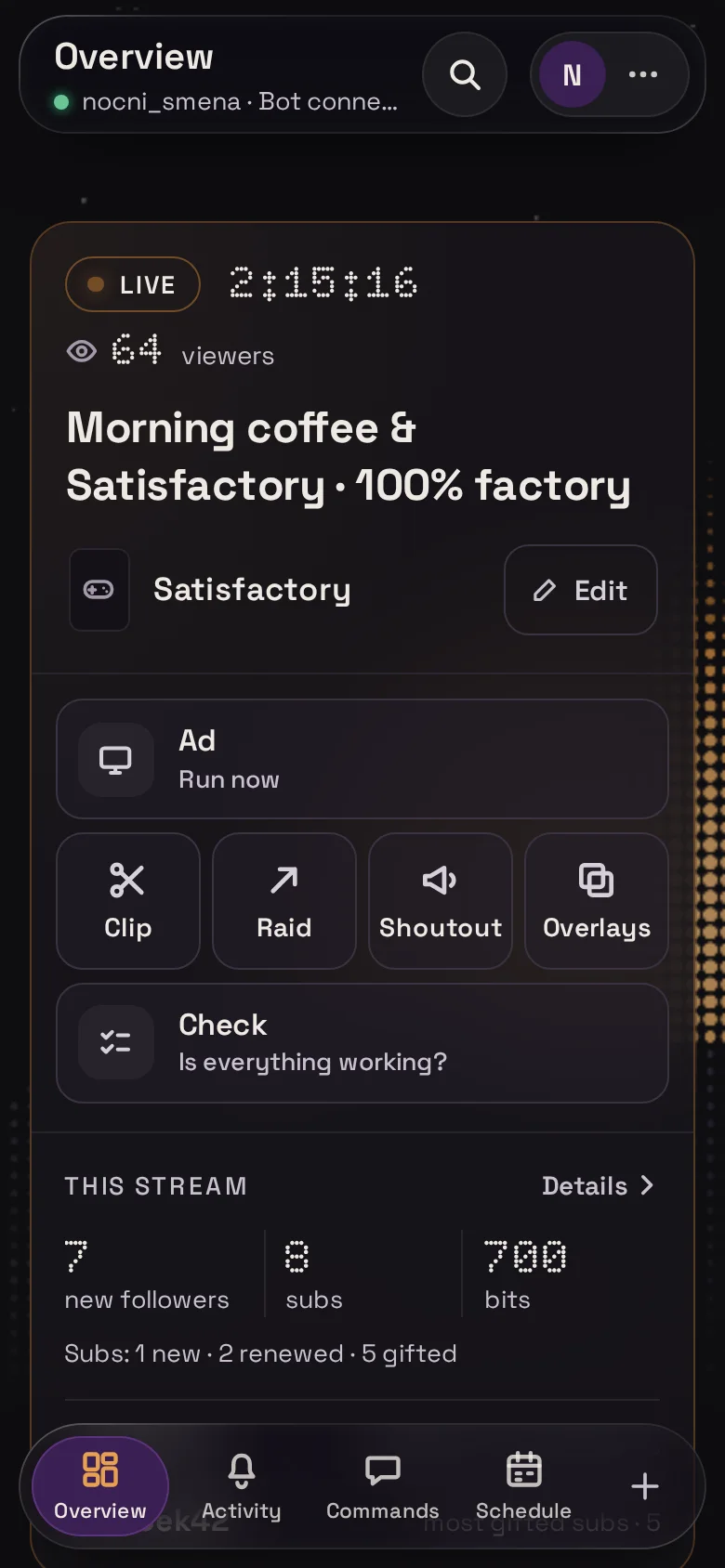
The dashboard on your computer and your phone. Your title, live activity and shortcuts are always at hand.

Previews with made-up data

Features

What it does

You set everything up in your browser. OBS picks up the changes by itself.

01 · Overlays and alerts

Overlays that match your look

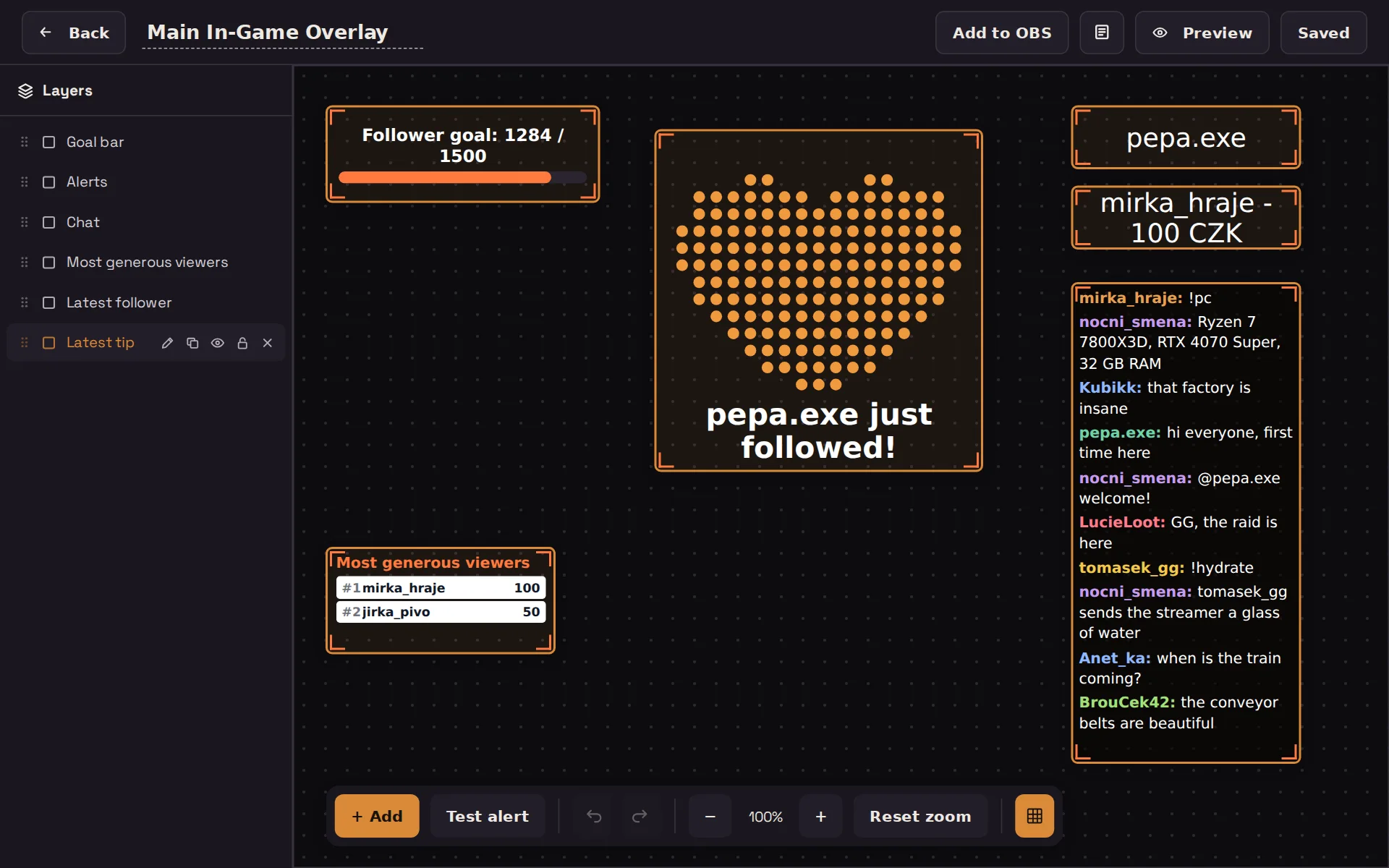
Drag widgets onto a canvas the size of your stream. Every event can have its own alert with your image, video, font and sound.

  • Alerts, goals, chat, leaderboards, polls and predictions
  • Test any alert with the Emulate button, no need to wait for a viewer
  • Add the link to OBS once, then just save
02 · Chat bot

A bot that answers for you

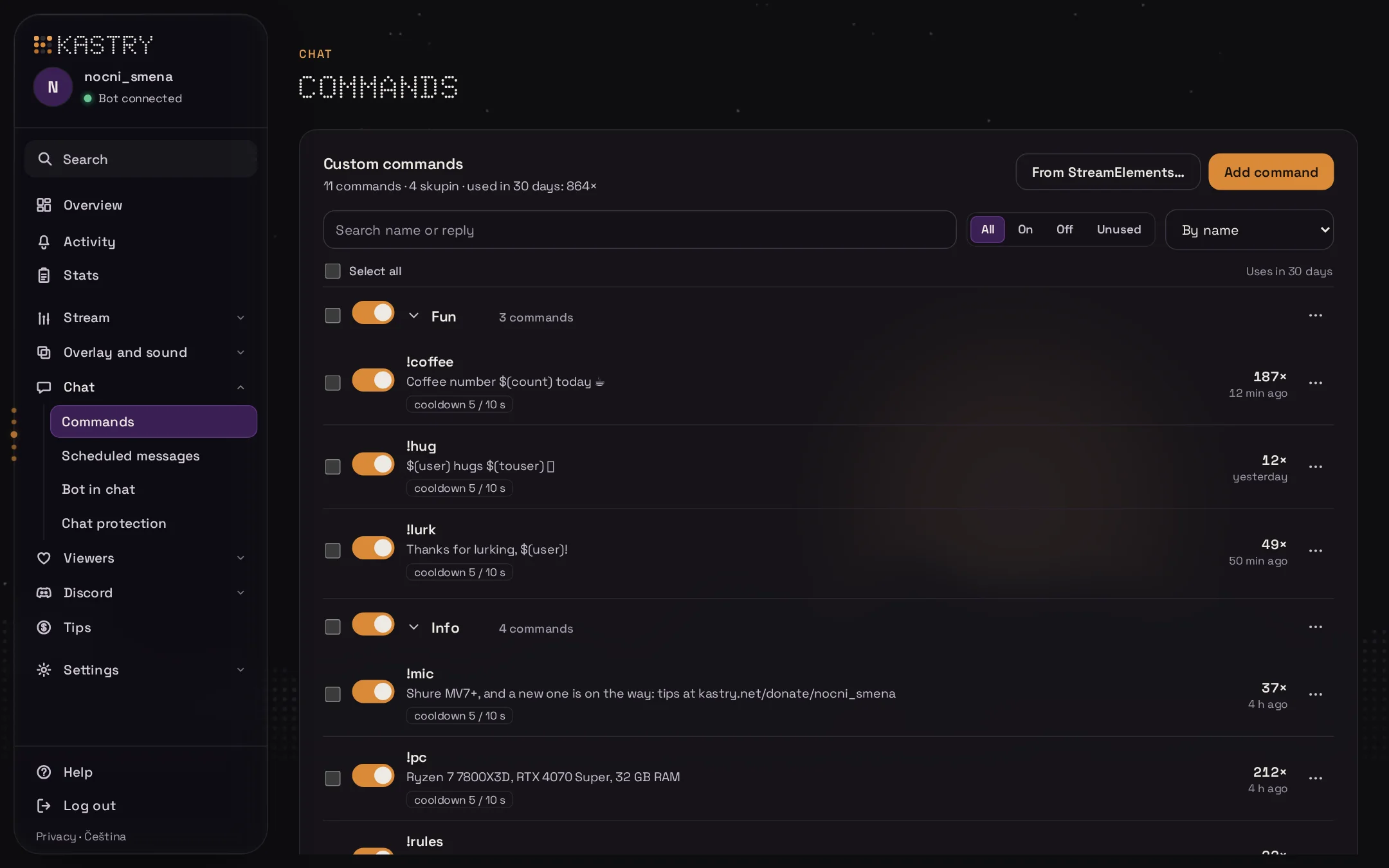
Custom commands with cooldowns, access levels and point costs. Built-in !uptime, !so, !sr and !points work right after you log in.

  • Kastry AI watches chat for insults (Czech channels) BETA
  • Timed messages and quotes
  • Chat protection removes spam and links
  • Mods can change the title with !settitle
03 · Viewer points

Points for watching

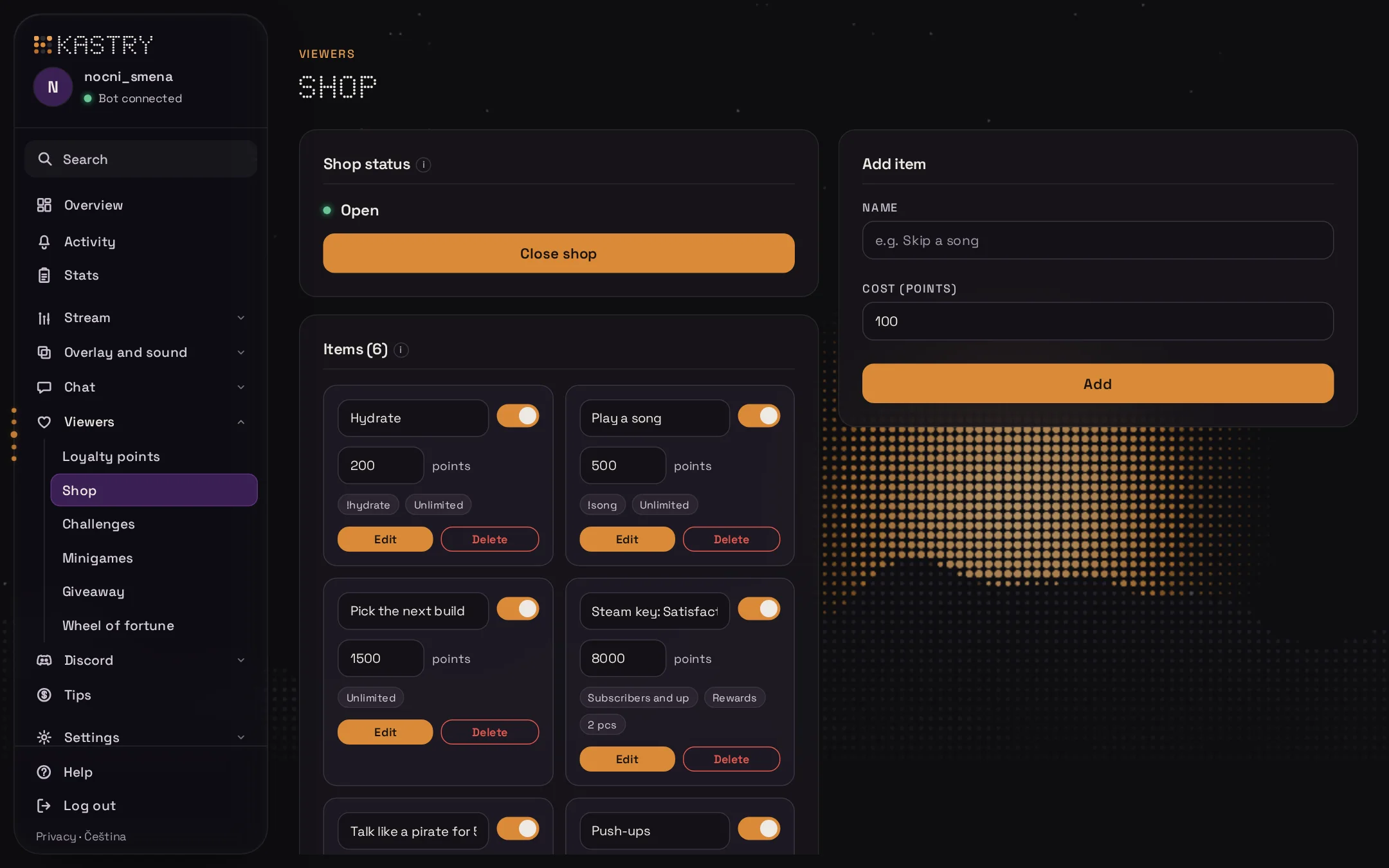
Viewers collect points while they watch. They spend them in a shop on rewards you come up with, or use them in giveaways.

  • Leaderboards for points and watch time
  • Subscriber-only or limited-stock items
  • !points, !givepoints and !redeem right in chat
04 · Stats

Know how your stream went

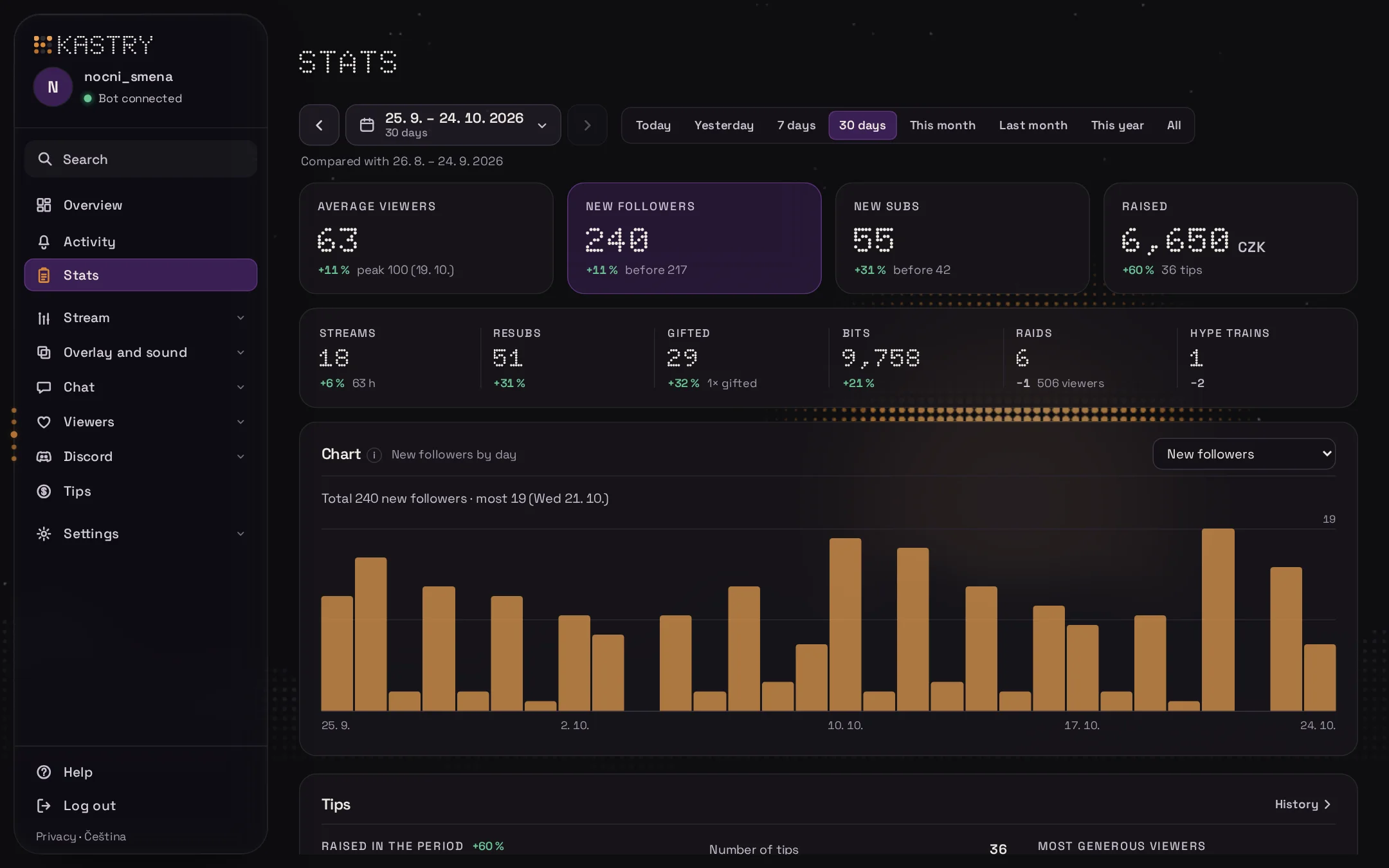
After every stream you get a summary: new followers, bits, subs and the biggest raid. Charts show the trend for up to the past year.

  • Kastry AI writes a summary and a draft social media post (Czech channels) BETA
  • Charts for 30, 60 or 90 days or a year
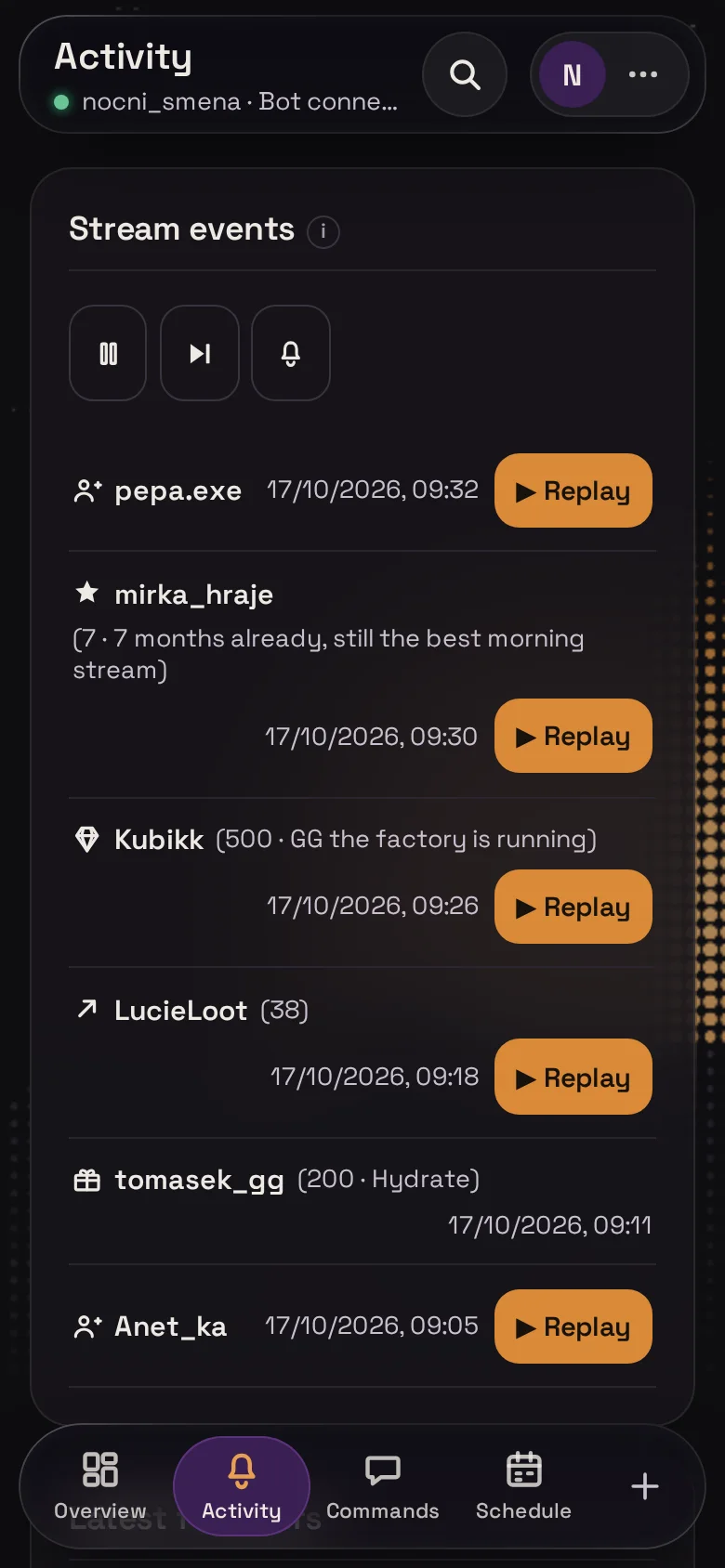
  • Replay any event from your activity as an alert
05 · Tips

Tips by card

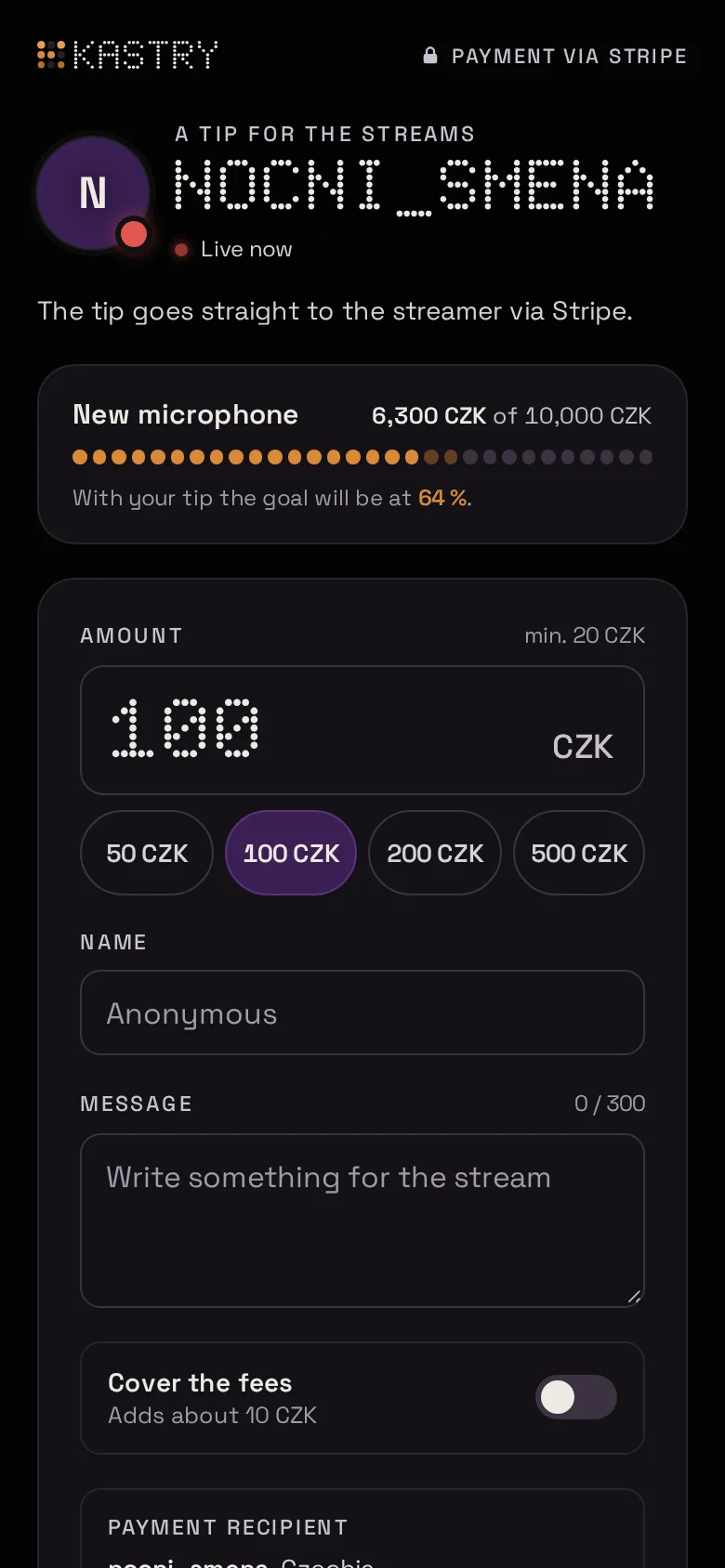
Viewers send you tips for your streams through your page at kastry.net/donate/your-channel. Payments go through Stripe and the alert shows on stream as soon as it's paid.

  • The goal and recent tips right on the page
  • Viewers can cover the payment fees
  • The full tip history in the dashboard
And also

More features

Start

Get started

  1. 1

    Log in

    No sign-up and no new password.

  2. 2

    Add the overlay to OBS

    Paste the link from your dashboard as a Browser source.

  3. 3

    Turn on features

    Start with alerts, for example, and add more as you go.

Questions

FAQ

Do I need to install anything?

No. Kastry runs in your browser. In OBS you add a Browser source with the link from your dashboard.

Can a mod help me with the setup?

Yes. Add them as an editor and choose which parts they can access.

How do tips work?

The viewer pays by card, an alert shows on stream and the tip is saved to the history.

Does it work on a phone?

Yes. On a phone, the dashboard has its own layout and a shortcut bar.

Can I use just some of the features?

Yes. You turn each part on separately. Whatever you don't turn on won't show on stream.

Try Kastry

Logging in takes a few seconds.
Log in with Twitch